This error sometimes might not appear in the Schema Markup Testing Tool or the Google Structured Data Testing Tools, but when you get a mail from Google you should check your Search Console.
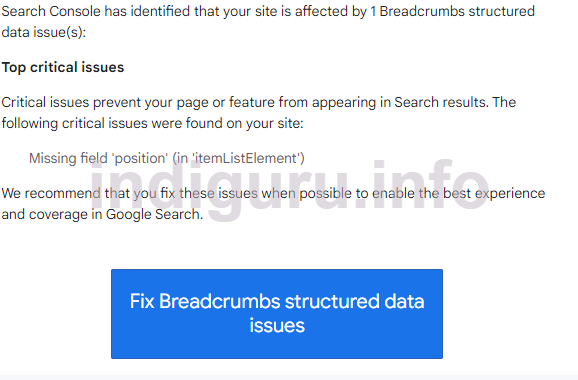
In the Search Console you will see the error shown in the image given below:
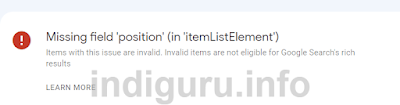
How to Fix Breadcrumbs Missing field 'position' (in 'itemListElement') in Blogger: First Back up your Blogger Template and then find the Breadcrumbs code shown below:
<b:includable id='breadcrumb' var='posts'><b:if cond='data:view.isPost'> <b:loop values='data:posts' var='post'> <div class='breadcrumbs' itemscope='itemscope' itemtype='https://schema.org/BreadcrumbList'><span itemprop='itemListElement' itemscope='itemscope' itemtype='https://schema.org/ListItem'><a expr:href='data:blog.homepageUrl' itemprop='item' title='Home'> <meta content='1' itemprop='position'/> <span itemprop='name'><b:switch var='data:blog.locale'><b:case value='id'/>Home<b:default/>Home</b:switch></span></a> </span> <b:if cond='data:post.labels'> <b:loop index='nomor' values='data:post.labels' var='label'> &nbsp;›&nbsp; <span itemprop='itemListElement' itemscope='itemscope' itemtype='https://schema.org/ListItem'> <meta expr:content='data:nomor+2' itemprop='position'/> <a expr:href='data:label.url + "?&max-results=8"' expr:title='data:label.name' itemprop='item'> <span itemprop='name'><data:label.name/></span> </a> </span> </b:loop> <b:else/> &nbsp;›&nbsp; <span itemprop='name'><data:blog.pageName/></span> </b:if> </div> </b:loop><b:elseif cond='data:view.isPage'/> <div class='breadcrumbs' itemscope='itemscope' itemtype='https://schema.org/BreadcrumbList'> <span itemprop='itemListElement' itemscope='itemscope' itemtype='https://schema.org/ListItem'> <a expr:href='data:blog.homepageUrl' itemprop='item' title='Home'> <meta content='1' itemprop='position'/> <span itemprop='name'><b:switch var='data:blog.locale'><b:case value='id'/>Home<b:default/>Home</b:switch></span></a> </span> &nbsp;›&nbsp; <span itemprop='itemListElement' itemscope='itemscope' itemtype='https://schema.org/ListItem'> <meta expr:content='data:num+2' itemprop='position'/> <a expr:href='data:blog.url' expr:title='data:post.url' itemprop='item'> <span itemprop='name'><data:blog.pageName/></span> </a> </span> </div></b:if></b:includable>
And add this code: <span itemprop='position 1'/> as shown in the image given below and then go to search console and click on Validate. It will take a few days for the errors to disappear.

Comments